
Walk into any electronics store and someone will eventually point at a number, say “eight gigs of RAM,” and nod like that settles it. More is better, they imply, and then change the subject. For years I nodded back without really knowing what I was agreeing to. If that is you, stick around, because RAM is one of those specs that finally makes sense once someone explains it without the acronyms.
Here I will explain RAM in everyday terms, show how it differs from storage (the two get mixed up constantly), and help you figure out how much you actually need. No math, no soldering, just a clear picture you can take to your next purchase.
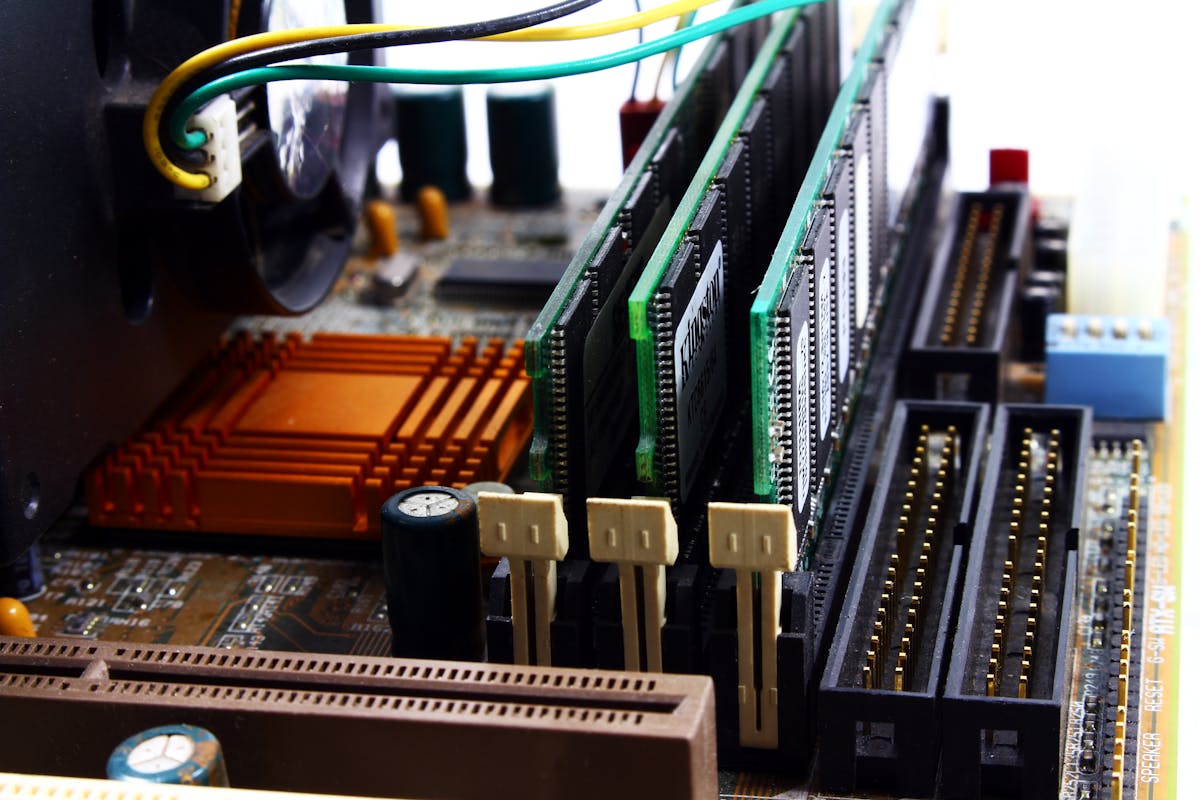
What RAM Is, Minus the Jargon
RAM stands for random access memory, and it is your device’s short-term memory, the space it uses for whatever it is working on right now. Open an app, load a website, edit a document, and all of that lives in RAM so the processor can grab it instantly. It is fast, it is temporary, and your device leans on it for everything it does in the moment.
The picture that finally made it click for me is a desk. A big desk lets you spread out lots of papers and books and actually work with them. A tiny desk forces you to keep shoving things back in the drawer to make room, which slows everything down. RAM is that desk surface for your device.
How It Actually Works
Every time you launch a program, the device copies the bits it needs from long-term storage into RAM, because RAM is dramatically faster to read and write. The processor then works straight from memory, which is what makes apps feel snappy. The more RAM you have, the more programs and browser tabs can sit there loaded and ready at once.
RAM is also volatile, a fancy word for forgetful: it only holds data while the power is on. Shut down or lose power and everything in RAM evaporates. That is the whole reason you save your work to storage. An unsaved document is sitting on that desk, and the desk gets wiped clean the instant the lights go out.
If your device feels sluggish, RAM is often part of the story, but not the whole of it. Our guide on how to speed up a slow Windows 11 PC has several tips for freeing up memory so things move again.
RAM vs Storage (They Are Not the Same)
People mix these two up all the time, and the confusion costs money at the checkout. Storage, your hard drive or solid state drive, is long-term memory: files, photos, apps, and the operating system, all kept safely even when the power is off. RAM is the short-term workspace holding only what you are using this second.

Back to the desk. Storage is the filing cabinet where everything is kept; RAM is the desk where you actually work. A huge cabinet lets you store more files, but a big desk lets you work on more things at once. You need both, and buying more of one does nothing for the other, which is the mistake the store rarely corrects.
How Much You Really Need
It depends on what you do. For browsing, email, and writing, eight gigabytes is comfortable for most people today. If you are the type with thirty browser tabs open, editing photos, or running several apps side by side, sixteen gigabytes gives you room to breathe instead of watching things stutter.
Heavy users, video editors, designers, gamers, often want thirty-two or more. Phones use smaller numbers, but the idea is identical: more RAM lets you flip between apps without them reloading from scratch. When in doubt, a little extra is usually money well spent, because it is what keeps a device feeling fast a year or two down the line.
Getting the Most From What You Have
You can stretch the RAM you own with a few habits. Close apps and browser tabs you are not using, since each one quietly holds a slice of memory hostage. And restart the device every so often; it clears out RAM and often restores lost speed in seconds, which is why “have you tried turning it off and on again” became a cliche that happens to be true.

Keep an eye on programs that launch themselves at startup, because they eat memory before you open anything. On phones, the system manages RAM for you, so constantly force-closing apps does more harm than good. If a computer keeps running out, adding RAM is often the single most cost-effective upgrade you can make, far cheaper than a new machine. Since memory and the system that manages it go hand in hand, our guide on what an operating system is rounds out the picture, and our tips on how to speed up a slow Android phone apply many of the same ideas to mobile.
A Few Last Words
RAM is just the busy desk where your device gets its work done, and once you see it that way, the spec sheet stops being intimidating. Remember the split: RAM is fast, temporary memory for active tasks; storage is the permanent filing cabinet. Match the amount to how you actually use your device, keep a couple of tidy habits, and you will enjoy a smoother ride. Next time someone in a store nods at a number, you can nod back and actually mean it.
Quick Recap: What is RAM
Once you understand the basics, you will find that what is RAM is easier than it first appears. Take it step by step, and what is RAM quickly becomes part of your routine. The key to what is RAM is a little regular practice rather than trying to learn everything at once. Many beginners are surprised at how approachable what is RAM can be with the right guidance.
Remember that what is RAM is a skill, and every skill improves the more you use it. If you ever feel stuck, revisit the earlier sections, because what is RAM builds on a few simple ideas. There is no need to rush; what is RAM rewards patience and a willingness to explore. Keep this guide handy whenever you need a quick reminder about what is RAM.
With these fundamentals in place, what is RAM will feel far more natural over time. Do not be afraid to experiment, since hands-on practice is the fastest route to what is RAM. Before long, what is RAM will be second nature and save you real time. The steps above cover everything a beginner needs for what is RAM. For more detailed reference, a technical overview of RAM is a trustworthy resource.

Daniel Vivone is a technology writer who specializes in making complex tech simple for everyday readers. At iotechblog, he covers digital security, artificial intelligence, smartphone tips, and beginner-friendly software tutorials, turning confusing concepts into clear, practical, step-by-step guides. Passionate about helping people use technology more safely and confidently, Daniel focuses on real-world advice that anyone can follow, no technical background required.