
Every computer, phone, and tablet you own has one component quietly running the show: the CPU. Often called the “brain” of a device, the CPU handles the instructions that make everything from opening an app to playing a game possible. Yet for many people it remains a mysterious block of technical jargon on a spec sheet.
This simple guide answers the question what is a CPU in plain language, with no engineering degree required. You will learn what the CPU actually does, how cores and clock speed affect performance, and how to make sense of the numbers when buying a new device. By the end, those specifications will finally make sense.
What Does CPU Stand For?
CPU stands for Central Processing Unit. As the name suggests, it is the central component that processes the instructions your device needs to function. Whenever you click a button, type a letter, or load a website, the CPU is carrying out the countless tiny calculations required to make that action happen almost instantly.
Think of the CPU as the manager of your entire device. Other parts, like memory and storage, hold information, but the CPU is what actually reads instructions and decides what to do next. Without it, none of the other components would have any direction, which is why it earns its reputation as the brain of the machine.
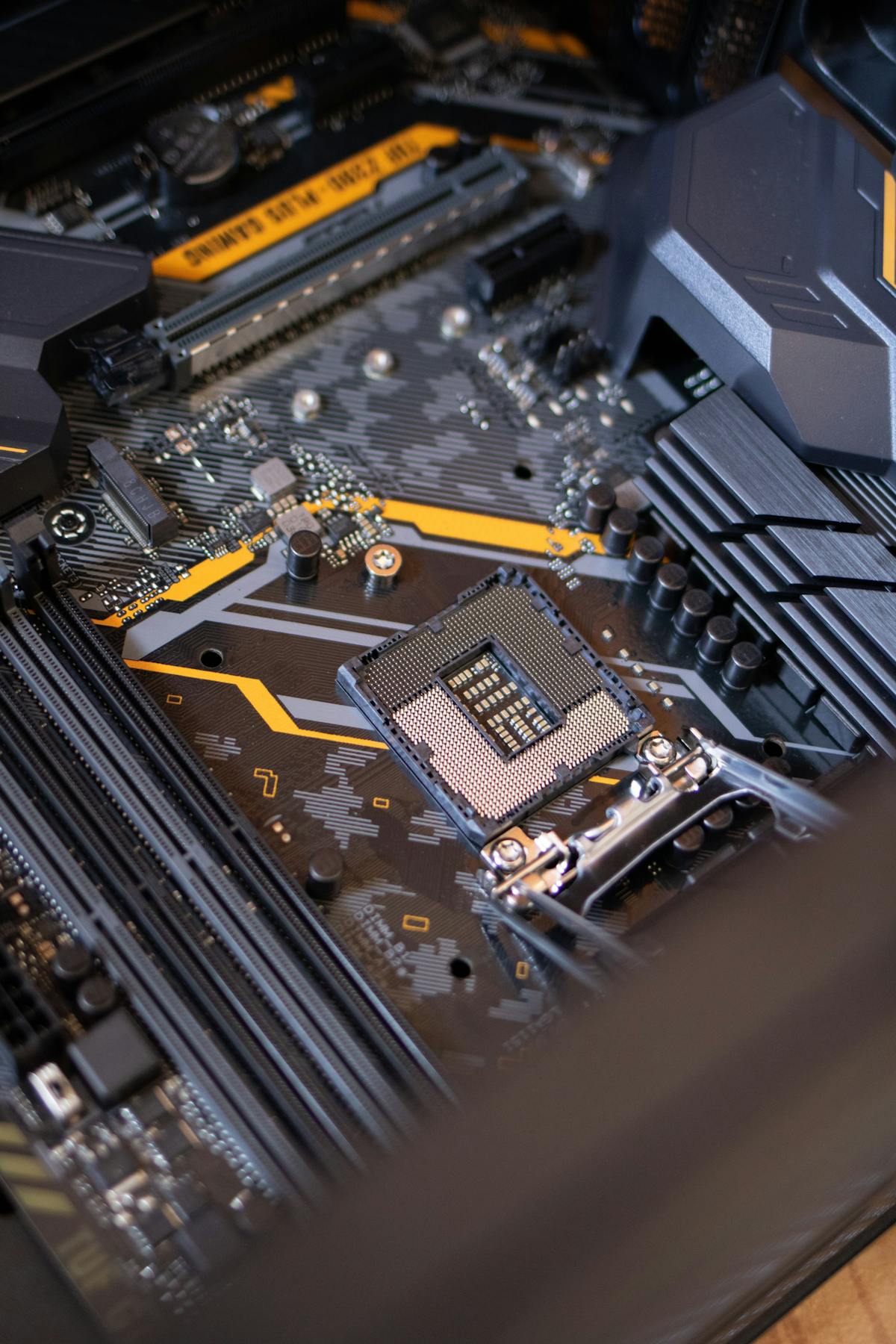
What the CPU Actually Does
At its core, a CPU repeatedly performs a simple cycle: it fetches an instruction, decodes what that instruction means, executes it, and stores the result. This fetch-decode-execute cycle happens billions of times per second, which is how a device can juggle so many tasks that feel instant to us as users.
Every program you run is ultimately a long list of these small instructions. The CPU works through them in order, coordinating with memory and other hardware along the way. Its astonishing speed is what lets you scroll a webpage, stream music, and receive a message all at once without noticeable delay.
Since the CPU relies heavily on memory to do its job, our guide on what RAM is and why it matters is the perfect companion to this article.
Understanding Cores and Threads
Older CPUs had a single core, meaning they could focus on one stream of instructions at a time. Modern processors pack multiple cores, effectively giving your device several brains that work in parallel. A quad-core chip can handle four tasks simultaneously, which makes multitasking far smoother than on a single-core design.
Threads take this further by letting each core handle more than one instruction stream at once. When you see “8 cores, 16 threads,” it means the chip can manage sixteen tasks in parallel. More cores and threads generally help with demanding work like video editing, though everyday browsing rarely needs the very highest counts.

What Is Clock Speed?
Clock speed, measured in gigahertz (GHz), describes how many cycles a CPU can perform each second. A 3.5 GHz processor runs about 3.5 billion cycles per second. In broad terms, a higher clock speed means each core can work through instructions faster, which improves responsiveness in single-task situations.
However, clock speed is only part of the story. A newer chip with a lower number can outperform an older one with a higher number thanks to better design. When comparing CPUs, look at the generation and overall architecture rather than fixating on the GHz figure alone, since raw numbers can be misleading.
The CPU carries out instructions, but it is the operating system that organizes them, so learning what an operating system is completes the picture.
How the CPU Works With Other Parts
The CPU never works alone. It constantly exchanges data with RAM, the fast short-term memory that holds whatever you are currently using. When RAM runs low, the CPU is forced to wait on slower storage, which is why adding memory often makes an aging computer feel noticeably quicker.
Storage drives, the graphics processor, and other components all rely on the CPU to coordinate their work. In many devices the CPU and graphics are even combined on a single chip. Understanding these relationships helps you see that smooth performance comes from balance, not from any one component in isolation.

Reading CPU Specifications When Buying
When shopping for a new device, CPU specs can look intimidating, but a few pointers cut through the noise. Note the brand and family, such as Intel Core or AMD Ryzen, then the generation, since a newer generation usually beats an older one even at similar numbers. The core count and clock speed round out the picture.
For typical use like browsing, email, and streaming, a modern mid-range CPU is more than enough. Only heavy tasks such as gaming, 3D work, or professional video editing justify paying for the top tier. Matching the chip to how you actually use your device saves money without sacrificing the experience.
If your computer feels sluggish, the CPU is only one factor, and our tips on how to speed up a slow PC cover the practical fixes that make the biggest difference.
Do You Need to Worry About Overheating?
CPUs generate heat as they work, and every device includes cooling, whether a fan in a laptop or clever heat spreading in a phone. For everyday users this is handled automatically, and the chip will slow itself down to stay safe if it ever gets too warm, protecting itself from damage.
You can help by keeping air vents clear of dust, using a laptop on a hard surface rather than a soft blanket, and closing runaway programs that push the processor to full tilt. Simple care like this keeps temperatures in check and helps your CPU deliver its best performance for years.
CPUs in Phones and Everyday Gadgets
CPUs are not just found in laptops and desktops. The phone in your pocket, your smart TV, your car’s dashboard, and even your washing machine contain processors tailored to their tasks. Mobile CPUs are designed to sip power carefully, balancing performance with battery life in a way desktop chips do not have to.
In phones, the CPU is usually part of a larger chip that also includes graphics, memory controllers, and specialized sections for tasks like photography and artificial intelligence. This all-in-one design saves space and power, which is exactly why a slim phone can feel so responsive despite its tiny size.
Recognizing that the same core idea powers everything from a supercomputer to a smart doorbell helps demystify technology as a whole. Once you understand what a CPU does, you hold a mental key that unlocks how nearly every modern device really works.
Common Myths About CPUs
A widespread myth is that a higher gigahertz number always means a faster computer. In reality, a well-designed newer chip can run circles around an older one with a bigger number, because efficiency and architecture matter just as much as raw speed. Judging a CPU by GHz alone often leads people to overpay for the wrong thing.
Another misconception is that more cores automatically make everything faster. Many everyday programs only use one or two cores at a time, so a sixteen-core chip offers little benefit for basic browsing. Extra cores shine only when software is built to spread work across them, such as in video rendering.
Finally, some believe the CPU is the only thing that determines speed. In truth, insufficient memory, a slow storage drive, or too many background programs can bottleneck even a powerful processor. Real-world performance is a team effort, and the CPU is just the most famous player on the team.
Final Thoughts
The CPU is the central brain of every computing device, tirelessly fetching, decoding, and executing the instructions that bring your software to life. By understanding cores, threads, and clock speed, and by seeing how the CPU cooperates with memory and other parts, you can finally read a spec sheet with confidence.
You do not need to become a hardware expert to make smart choices. Focus on the processor family and generation, match the core count to your real needs, and keep your device cool and clean. With these basics, the mystery of the CPU gives way to genuine, practical understanding.
Quick Recap: What is a CPU
Once you understand the basics, you will find that what is a CPU is easier than it first appears. Take it step by step, and what is a CPU quickly becomes part of your routine. The key to what is a CPU is a little regular practice rather than trying to learn everything at once. Many beginners are surprised at how approachable what is a CPU can be with the right guidance. Remember that what is a CPU is a skill, and every skill improves the more you use it. If you ever feel stuck, revisit the earlier sections, because what is a CPU builds on a few simple ideas.
There is no need to rush; what is a CPU rewards patience and a willingness to explore. Keep this guide handy whenever you need a quick reminder about what is a CPU. With these fundamentals in place, what is a CPU will feel far more natural over time. Do not be afraid to experiment, since hands-on practice is the fastest route to what is a CPU. Before long, what is a CPU will be second nature and save you real time. The steps above cover everything a beginner needs for what is a CPU.
Come back to these tips whenever you want to refresh your approach to what is a CPU. In short, what is a CPU is well within reach for anyone willing to give it a try. Above all, be patient with yourself as you get comfortable with what is a CPU. Once you understand the basics, you will find that what is a CPU is easier than it first appears. For more detailed reference, a technical overview of the CPU is a trustworthy resource.

Daniel Vivone is a technology writer who specializes in making complex tech simple for everyday readers. At iotechblog, he covers digital security, artificial intelligence, smartphone tips, and beginner-friendly software tutorials, turning confusing concepts into clear, practical, step-by-step guides. Passionate about helping people use technology more safely and confidently, Daniel focuses on real-world advice that anyone can follow, no technical background required.