
You use it every time you connect wireless earbuds or link your phone to your car, yet many people are unsure exactly what is Bluetooth and how it works behind the scenes. Bluetooth is a wireless technology that lets devices talk to each other over short distances without any cables. It powers a huge range of everyday gadgets, from headphones and speakers to keyboards, fitness trackers, and smart home devices. Because it is built into almost every phone, laptop, and tablet, Bluetooth has quietly become one of the most important technologies in modern life. Understanding the basics helps you connect devices more confidently, troubleshoot problems when they arise, and make smarter choices about the gadgets you buy. This beginner-friendly guide explains what Bluetooth is, how it works, how to pair devices, and how to keep your connections safe.
What Is Bluetooth?
Bluetooth is a wireless communication standard designed for connecting devices that are close together, typically within about ten meters. It was created to replace the tangle of cables that once connected our gadgets, letting a phone send music to a speaker or a computer talk to a mouse through the air instead of a wire.
The technology takes its unusual name from a tenth-century Scandinavian king, chosen because it aimed to unite different devices the way he united tribes. Today Bluetooth is managed by a group of technology companies who keep the standard consistent, which is why a Bluetooth headset from one brand can pair with a phone from another. That universal compatibility is a big part of why the technology is so useful.
How Bluetooth Works
Bluetooth sends information using radio waves, the same broad family of signals used by Wi-Fi and radio stations, but at low power and over short distances. Because it uses so little power, Bluetooth is ideal for small battery-operated gadgets like earbuds and fitness bands that need to run for hours or days on a tiny charge.
When two Bluetooth devices connect, they form a small private link sometimes called a personal area network. One device usually acts as the leader and the other follows, and they hop rapidly between frequencies to avoid interference from other signals nearby. This clever frequency-hopping keeps your connection stable even in a room full of other wireless devices.
Modern versions, especially Bluetooth Low Energy, are designed to sip even less power, which is why a fitness tracker can stay connected to your phone all day without draining its battery.
Common Uses for Bluetooth
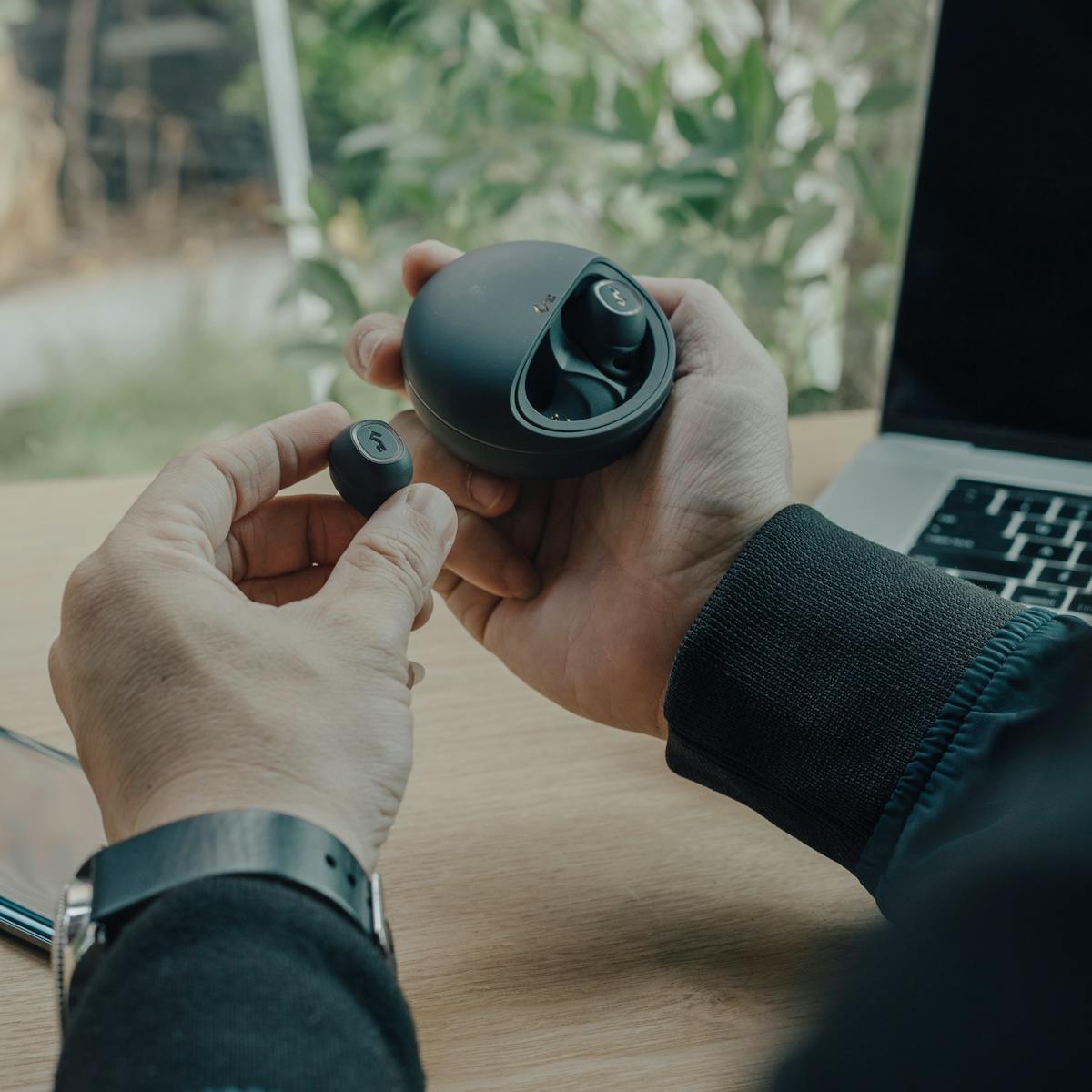
Bluetooth appears in more places than most people realize. Wireless headphones and earbuds are perhaps the most familiar use, letting you listen to music or take calls without wires. Portable speakers use it to play audio from your phone, and cars use it so you can make hands-free calls and stream music safely while driving.
Beyond audio, Bluetooth connects wireless keyboards and mice to computers, links smartwatches and fitness trackers to phones, and lets smart home gadgets communicate. It even powers item trackers that help you find lost keys. Because the technology is cheap and reliable, manufacturers keep finding new ways to build it into everyday products.
How to Pair Devices
Connecting two Bluetooth devices for the first time is called pairing, and it is usually simple. Start by turning on Bluetooth on your phone or computer, found in the settings menu or the quick controls. Then put the other device, such as a pair of earbuds, into pairing mode, often by holding a button until a light flashes.
Your phone will scan and show a list of nearby devices. Tap the one you want, and the two will link, sometimes asking you to confirm a code. Once paired, the devices remember each other, so they reconnect automatically the next time both are switched on and nearby. You only need to go through the full pairing process once for each new gadget.
Fixing Common Bluetooth Problems
Bluetooth is reliable, but occasional hiccups happen. If a device will not connect, first make sure it is charged and within range, since walls and distance weaken the signal. Turning Bluetooth off and on again, or restarting both devices, clears many temporary glitches.
If a device paired before but now refuses to connect, removing it from your saved list and pairing it fresh often fixes the issue. Interference from many other wireless devices, or a very low battery in either gadget, can also cause dropouts. Keeping both devices updated with their latest software helps too, because manufacturers regularly improve Bluetooth reliability through updates.
Bluetooth and Your Security
Because Bluetooth communicates wirelessly, it is worth taking a few sensible precautions. The good news is that its short range naturally limits who can reach your devices, and pairing usually requires confirmation, which prevents strangers from connecting without your knowledge.
Still, a few habits keep you safer. Turn Bluetooth off when you are not using it, both to save battery and to reduce any chance of unwanted connections. Only accept pairing requests from devices you recognize, and be cautious of unexpected requests in public places. Keeping your devices updated closes any security gaps that are discovered over time. With these simple steps, you can enjoy the convenience of Bluetooth with confidence.
To understand the wireless technology you use for internet, read our guide on what Wi-Fi is and how it works.
If you want to send audio and video to a bigger screen, our tutorial on how to cast your phone screen to a TV.
Keeping the battery healthy in your wireless devices matters, so read about how to save battery on your phone.
Quick Recap: What Is Bluetooth?
So, what is Bluetooth in simple terms? It is a short-range wireless technology that links nearby devices without cables. If you have ever wondered what is Bluetooth doing in your earbuds, the answer is that it carries audio using low-power radio waves. Understanding what is Bluetooth helps you connect and troubleshoot gadgets with ease.
Knowing what is Bluetooth also explains why it appears in speakers, keyboards, smartwatches, and cars. When you grasp what is Bluetooth and how pairing works, connecting a new device becomes a quick, familiar task. And because you know what is Bluetooth, you can also solve common problems like weak signals or a device that will not reconnect.
For a deeper technical explanation of what is Bluetooth, this detailed technical overview of Bluetooth is a great resource. Once you understand what is Bluetooth, the wireless gadgets around you make a lot more sense.
Conclusion
Bluetooth is one of those quiet technologies that makes modern life more convenient without ever demanding much attention. By using low-power radio waves to link nearby devices, it frees us from cables and connects everything from earbuds to smartwatches with a simple tap. Once you understand how pairing works and how to solve the occasional connection problem, you can get far more out of the wireless gadgets you already own. Now that you know what is Bluetooth and how it works, connecting and troubleshooting your devices will feel effortless.

Daniel Vivone is a technology writer who specializes in making complex tech simple for everyday readers. At iotechblog, he covers digital security, artificial intelligence, smartphone tips, and beginner-friendly software tutorials, turning confusing concepts into clear, practical, step-by-step guides. Passionate about helping people use technology more safely and confidently, Daniel focuses on real-world advice that anyone can follow, no technical background required.